
How audiences watch video content today varies by application, viewer and content.
A video’s value increasingly depends on how easily audiences can watch it in the format they prefer. A program produced in widescreen may reach viewers through a television application, a website, or a phone held vertically. Content owners must accommodate those viewing habits while managing the work and infrastructure behind every additional presentation.
Video operations have often addressed this challenge by creating another asset. A team takes the original 16:9 video, prepares a 9:16 version, renders it, checks the output, and stores the new file. That version must then be managed alongside the original throughout its useful life.
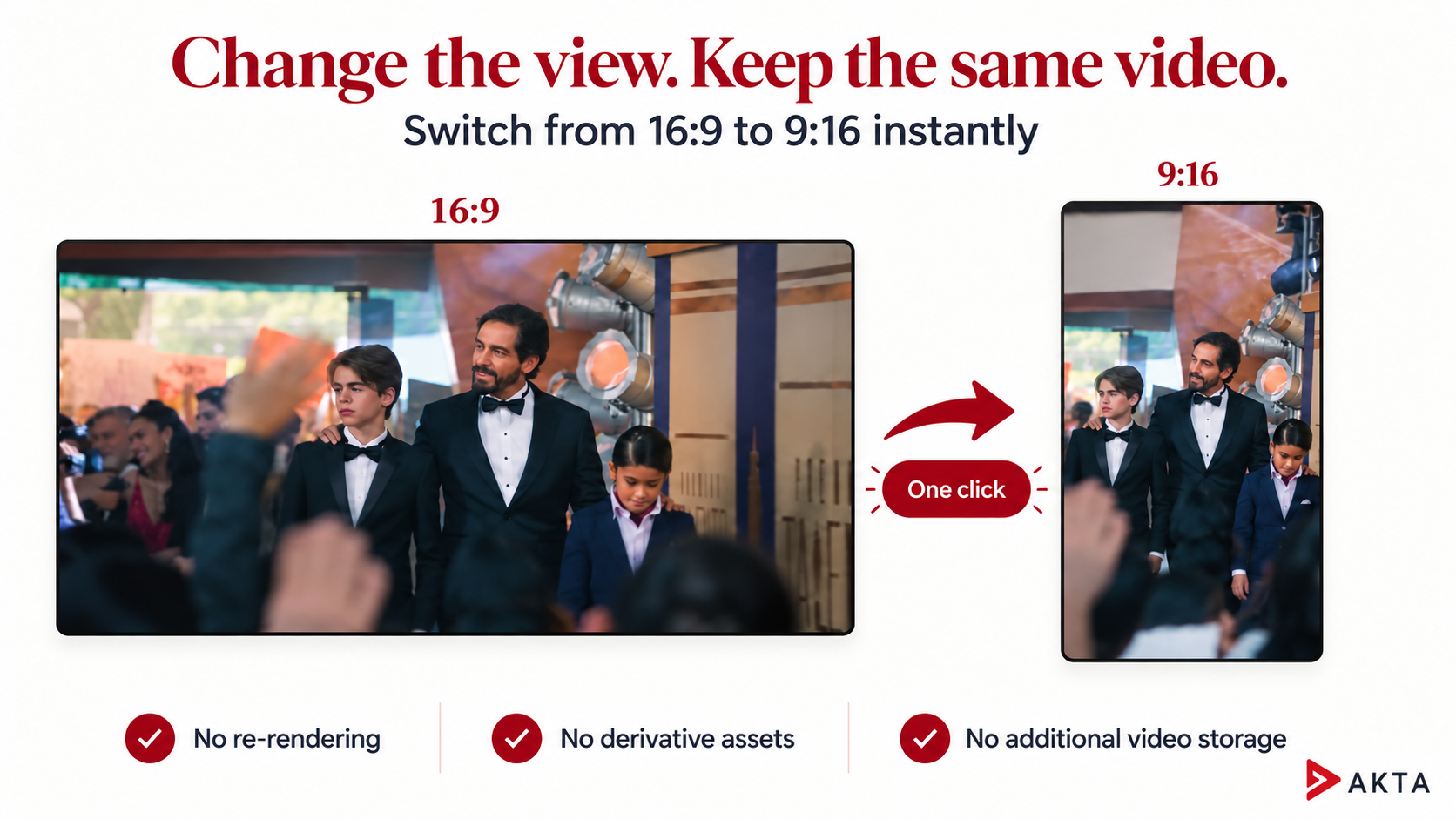
Akta introduces a more efficient approach. With a single click, video presentation can switch from 16:9 to 9:16 using the existing video. The change requires no re-rendering, no derivative video asset, and no additional video storage.
This capability gives content owners a practical way to accommodate vertical viewing while reducing the work traditionally associated with preparing another version.
The Operational Cost of Another Format
Creating a vertical version involves more than changing a frame’s dimensions. In a conventional workflow, the request can trigger editing, processing, quality review, file transfer, storage, and publishing tasks. Each step consumes resources and introduces another item for the team to track.
Those demands become more significant across an active content operation. A broadcaster may produce daily news segments. A sports organization may manage coverage from multiple events. An entertainment service may maintain a large catalog that continues attracting audiences long after its original release.
Separate versions increase the number of files moving through these operations. Teams must keep track of which version belongs to which source, whether it is ready to publish, and whether a correction needs to be applied to more than one asset.
Akta’s one-click aspect ratio switching removes the requirement to create and maintain a separate video file for the vertical presentation. The existing asset supports both viewing formats.
Bandwidth Savings Begin Inside the Workflow
Bandwidth discussions usually focus on delivering video to viewers. Moving video through a production and publishing operation also consumes bandwidth.
Creating a derivative version can require transferring source material to a processing environment, writing the rendered output, uploading it to storage, and moving it into a delivery workflow. The precise path depends on the infrastructure, but another video file creates additional data that must be handled.
When the vertical presentation uses the existing video, the transfers associated with generating and moving a separate vertical asset can be avoided. The benefit grows with the volume and size of the content that would otherwise require another version.
These savings apply to the preparation and movement of derivative video files. They should be distinguished from viewer delivery bandwidth, which depends on the stream’s bitrate, viewing duration, and delivery configuration. Changing the presentation’s aspect ratio does not, by itself, establish a lower streaming bitrate.
For video operations teams, the immediate value is reducing unnecessary movement of large media files while keeping the content available in both formats.
More Capacity for Video Operations Teams
Every rendering job creates work beyond the processing itself. Someone must initiate the job, monitor its completion, address failures, review the result, and make the output available to the next stage.
A one-click presentation change removes the rendering job and the separate asset it would have produced. Staff can spend less time coordinating versions and more time on the decisions that affect the audience: selecting relevant content, checking accuracy, managing rights, and improving the viewing experience.
This matters when content is time-sensitive. A moment from a live event or a developing story has greater value when audiences can access it while interest remains high. Avoiding a separate render removes a preparation step between the available video and its vertical presentation.
The operational benefit is also useful for existing libraries. Teams can offer another viewing format without commissioning a new video file for every asset.
Vertical Viewing Without a Duplicate Library
Mobile viewing creates a straightforward product requirement: content should work for people who prefer to hold their phones vertically.
Meeting that preference through separate assets makes the library more complicated. Storage requirements increase, and the organization assumes responsibility for another version throughout its lifecycle.
Akta lets the presentation change while the underlying video remains the same. Content owners can support widescreen and vertical viewing without adding a duplicate video library or the storage it would require.
The distinction has a direct effect on the cost of expanding a viewing experience. Another presentation becomes available without another rendered file to process, transfer, store, and maintain.
A More Efficient Approach to Content Reuse
Akta’s AI-first approach centers on reducing repeated work across the video lifecycle. One-click aspect ratio switching extends that principle to presentation, allowing an existing asset to serve another audience preference with fewer operational steps.
For broadcasters, sports organizations, and streaming services, the opportunity is concrete: make content more versatile while limiting the additional workload and infrastructure required to support it.
Bring a representative video to an Akta demonstration to see the switch from 16:9 to 9:16 and explore what eliminating separate vertical assets could mean for your operation.